

Free AI quiz maker for live and self-paced quizzes
FlexiQuiz makes it easy to create, share and analyze self-paced or live quizzes for free.
You can add your own questions or generate quiz questions in seconds with AI.
Our free plan includes powerful features to help you create and share engaging quizzes, including timers, eight question types, question randomization, public and private sharing options, and instant results and reporting.
Features available on the FlexiQuiz free plan
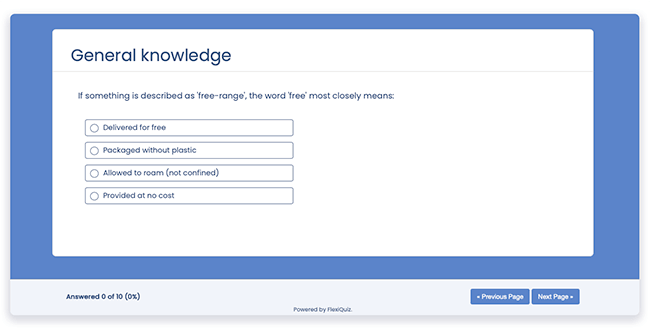
FlexiQuiz offers a choice of some great features free of charge to help you easily make custom tests and quizzes.
Create questions from scratch: Add your questions with a choice of 8 question type templates.
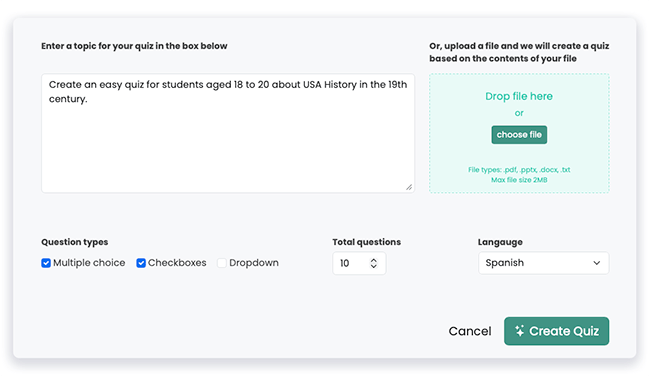
Generate questions with AI: Save time by creating questions with AI.
Create questions from a PDF or document: Upload your content and automatically turn it into quiz questions.
Automatic scoring and grading: Instantly score responses and assign grades.
Public or private sharing:Share your quiz with anyone or restrict access.
Custom pages: Add welcome, thank-you, and text/media pages.
Randomization: Randomize questions and answer options for every attempt.
Timers: Set time limits by page or the whole quiz.
Progress bar: Show quiz-takers how far they have progressed.
Required questions: Make selected questions mandatory.
Two-factor authentication: Add an extra layer of security to your account.
Respondent portals: Give learners a dedicated place to access their assigned quizzes.
Style templates: Quickly customize your quiz with ready-made themes, colors, and fonts.
Real-time results: Check learners' scores and progress in real-time from your Analyze screen.
Free plan usage limits
To keep the plan free, some usage limits apply, including the number of questions you can add to a quiz, responses you can collect, and certain features you can access.
These limits are designed for individuals and smaller-scale quiz activity.
If you need higher limits, more customization, or advanced features, you can upgrade at any time to a paid plan that better matches your needs.
- 20 responses a month
- 20 responses per quiz
- Unlimited quizzes
- 10 questions per quiz
- 5 Respondent portals
- 1 GB space
Types of questions available on the free plan
There are eight question types to choose from when making a free quiz.
- Multiple choice.
- Checkbox.
- Drop-down.
- Matching.
- Ordered list.
- Free-text.
- Matching text.
- Fill-in-the-blank.
File upload, picture choice, and hot spot are available on any of our paid plans.
Frequently asked questions
How do I register with FlexiQuiz for free?
- Go to FlexiQuiz and click Sign Up.
- Enter your email address and create a password.
- Click Continue.
Your account is now set up, and you can start making great quizzes for free.
How do I create a free online quiz?
Once you have a free account, making a free online quiz with FlexiQuiz is quick and easy.
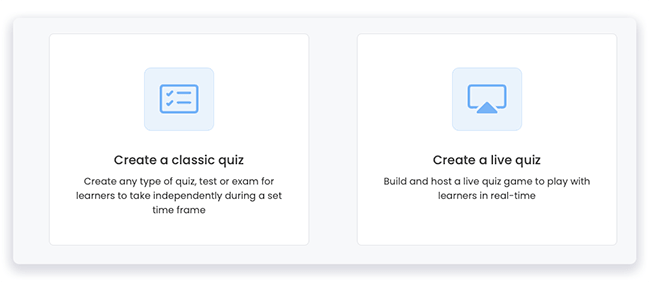
- Pick whether you want to create a classic quiz that learners take at their own pace or a live quiz game.
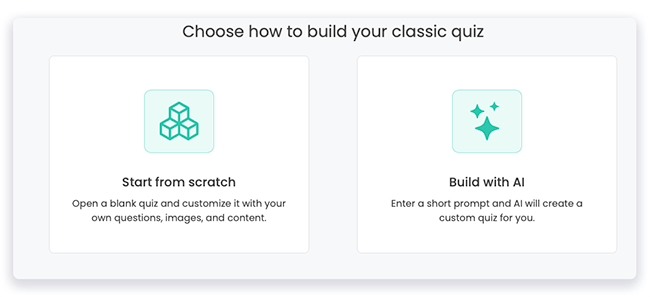
- Then choose if you want to add your own questions or generate questions using AI.
- Now start adding your questions and content.
- Style your quiz with our styling templates.
- Configure your quiz so it works how you want.
- Share it with your audience.
- Check the results on your Analyze screen.
Frequently asked questions
Why does my quiz show as closed when I did not close it?
If you downgrade from a paid plan to the free plan, any quiz that uses paid features will automatically close.
To reopen the quiz, remove the paid features or upgrade to a paid plan.
What happens to my quizzes if I upgrade from a free plan to a paid plan?
All of your existing quizzes and results will remain available when you upgrade.
You can continue building your quizzes with additional features such as more question options, media, custom themes, email notifications, and more.
What types of quizzes can I create for free?
You can create quizzes for almost any purpose, from exam practice and training to marketing campaigns, knowledge checks and formal assessments.
Can I try a free quiz?
Yes. Try our example classic quiz, created using only free features to see how it works for test takers.
Start the classic free quiz.
Back


